Krak Stack on your phone
Run your whole container business from your phone
Stock, pickups, drop-offs, releases, leasing, trading, invoices and bank reconciliation: every screen of Krak Stack works on a phone. At the depot gate, on the road or at home, you do not need a computer.
- The whole system, not a reduced mobile version
- Same account and same data as on the desktop
- No app store: add it to your home screen in one gesture
Real screens of the app on a phone. Demo company, fictitious data.
Everything below is done on a phone:
Twelve screens, one thumb
Everything you do at the office, now in your pocket
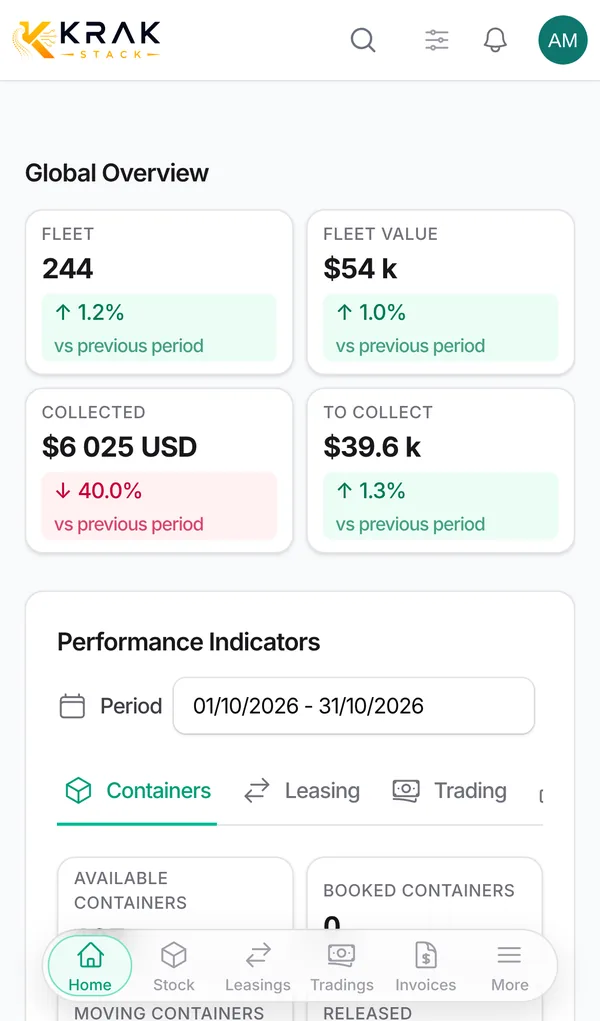
Dashboard
Your whole business at a glance
Open the app and you see where you stand: fleet size, fleet value, what was collected and what is still to collect, compared with the previous period.
- Fleet, value, collected and to-collect figures
- Leasing, trading and invoice indicators by period
- Containers, leasing, trading, profitability and invoice tabs
Container stock
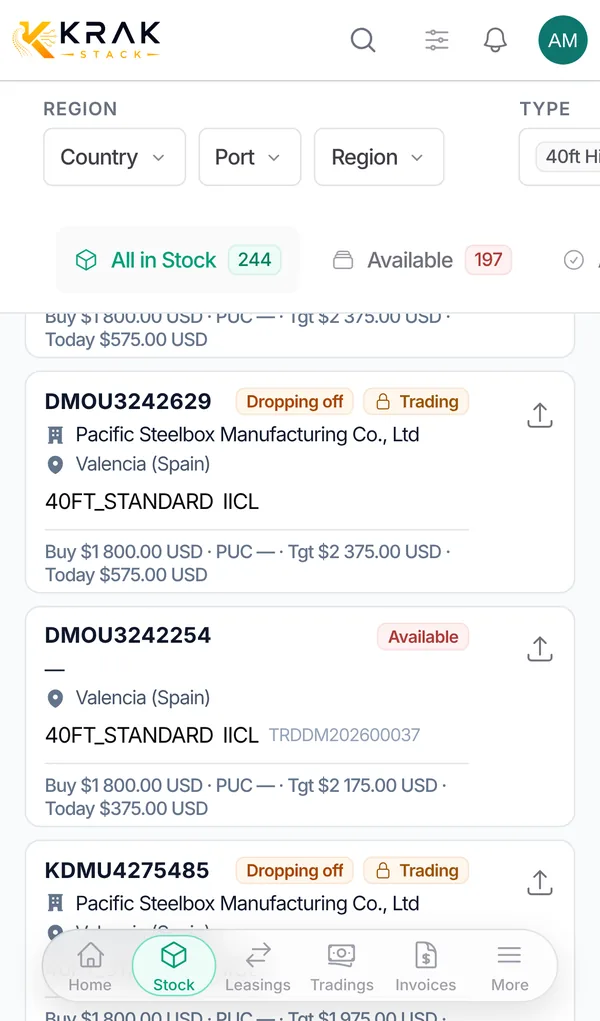
Your fleet in your pocket
Every container is a card: status, depot, deal, buying price and target price. Filter by country, port, type or condition with one thumb.
- Cards readable on a small screen
- Filters in a bottom panel
- Available, booked, released, in transit, dropping off
Search
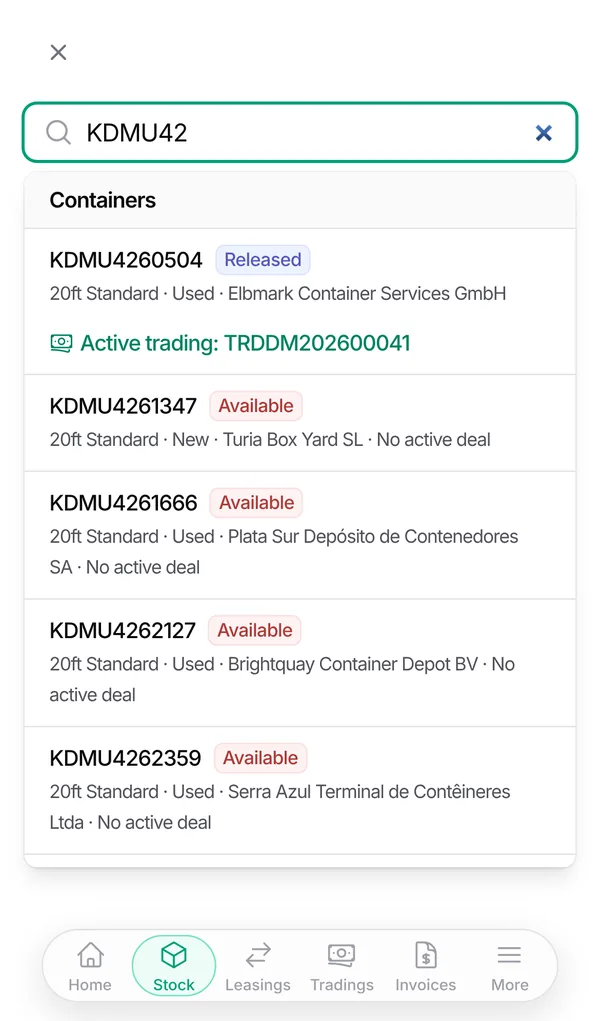
Find any container in two taps
Type a few characters of a container number: Krak Stack shows the container, its status, its depot and the deal it belongs to, while you are still at the gate.
- Search across containers, deals and companies
- Status and active deal in the result
- Open the record straight from the result
Container record
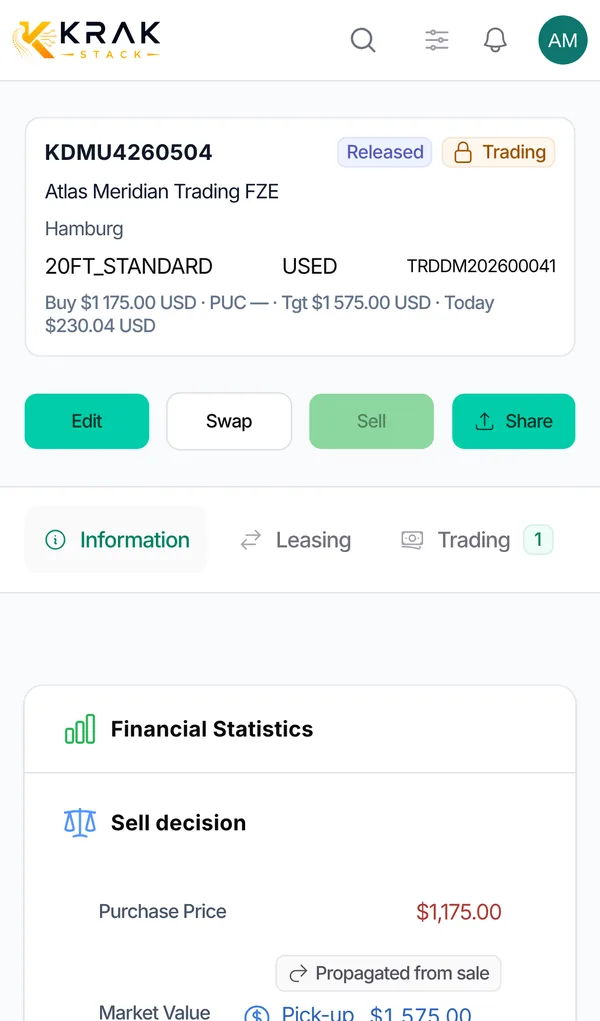
The full story of each box
Status, current deal, buying price, market value, result if sold today and every movement. Edit, swap, sell or share the record from the same screen.
- Financial statistics and sell decision
- Leasing and trading history
- Edit, swap, sell and share buttons
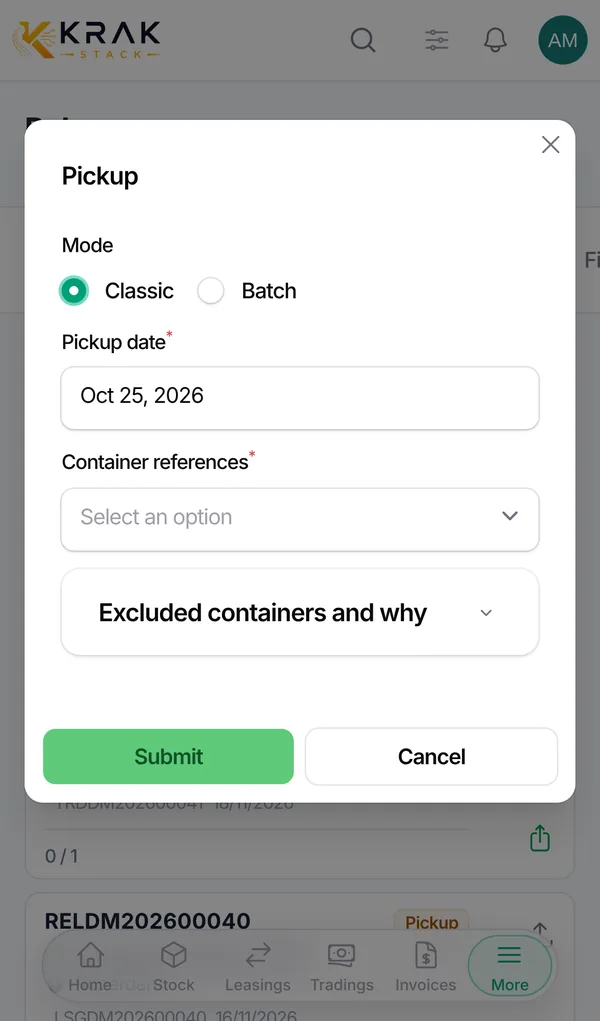
Pickup at the depot
Record a pickup from the gate
When the truck leaves the depot, record the pickup on the release: one container, or a whole batch by pasting the list of numbers. Free days and per diems start from the real date.
- Classic or batch mode
- Pickup date set to today, change it if needed
- Containers that cannot be picked up are listed with the reason
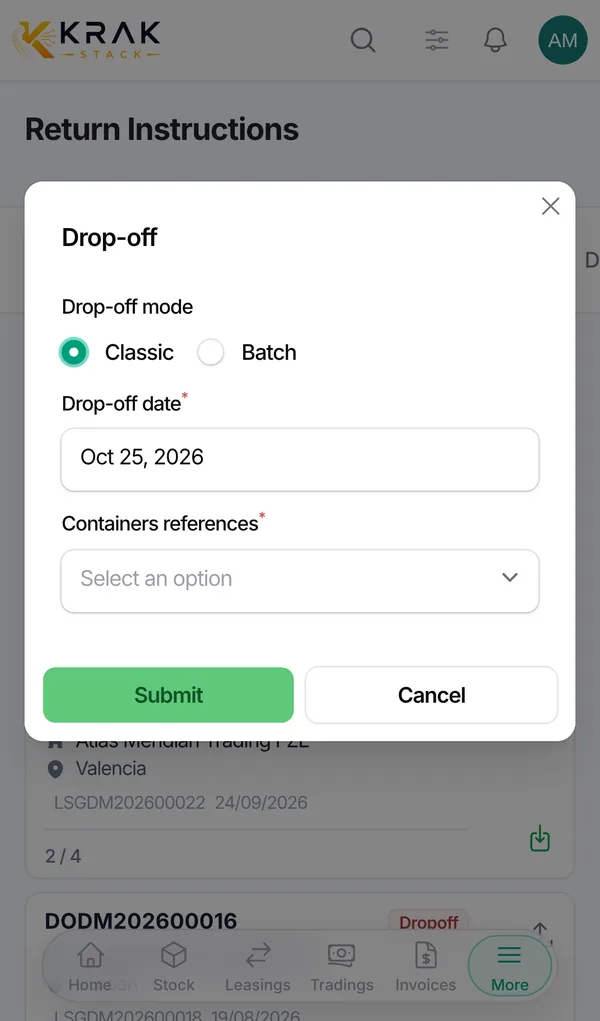
Drop-off
Close the loop when boxes come back
Record the drop-off on the return instruction as soon as the container is back in the depot. The leasing, the stock and the invoice follow automatically.
- Classic or batch drop-off
- Progress per return: arrived and still to receive
- Stock and deal statuses updated at once
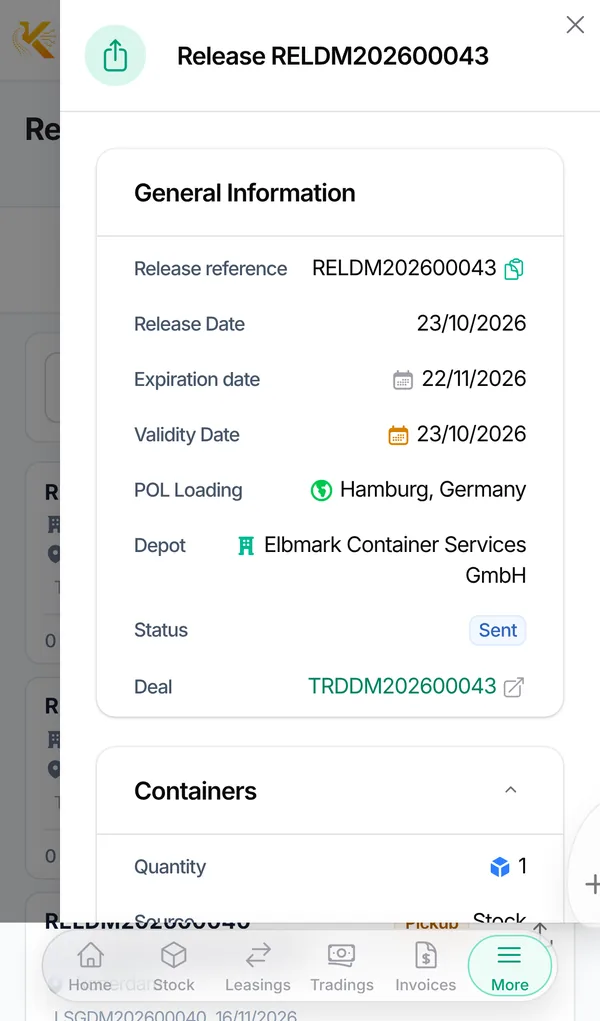
Releases
Send the release to the depot
Open the release, check the depot, the expiry date and the containers, then share the PDF or send it by email to the depot without opening a laptop.
- Release details, depot and expiry
- View, download or email the PDF
- Linked deal one tap away
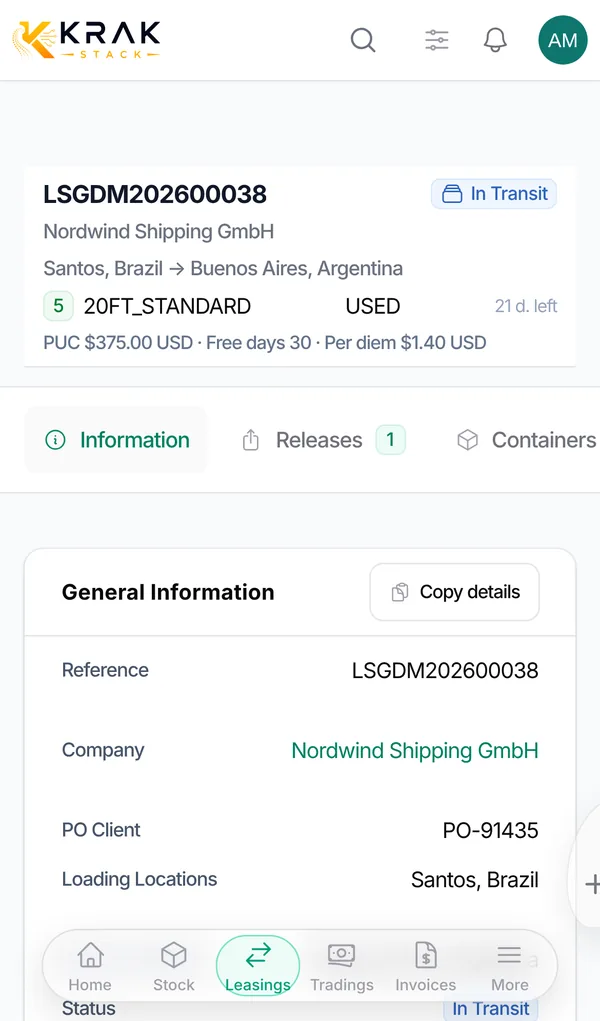
Leasing
Follow every lease and its free days
Each lease shows the customer, the route, the containers, the free days left, the pickup charge and the per diem: you know who owes what before you call them.
- Days left per container
- Pickup charge, free days and per diem
- Releases, containers and finance tabs
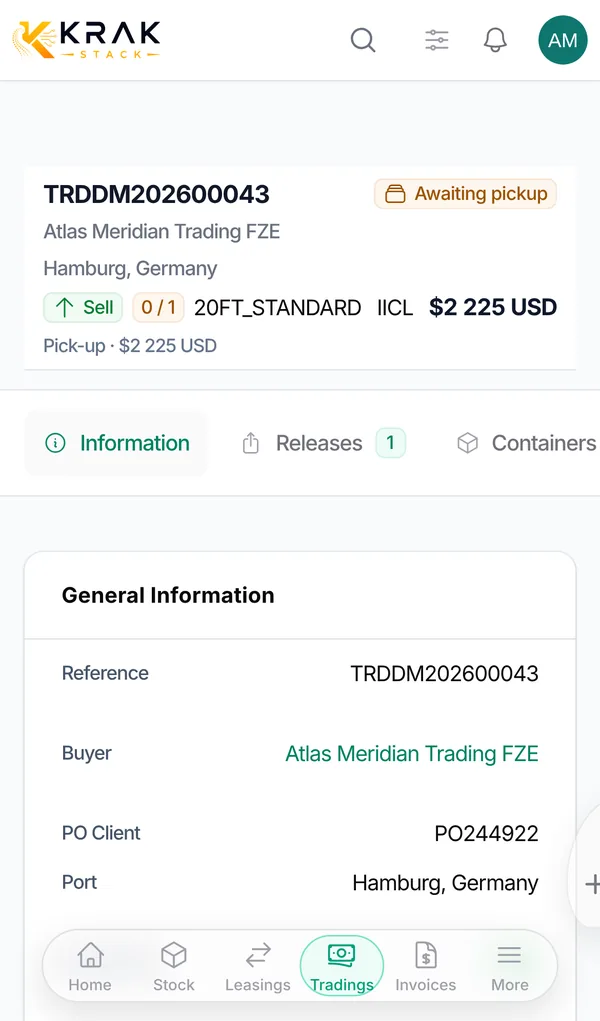
Trading
Buy and sell without going back to the office
Sales and purchases with their price, containers and status. See which deals are waiting for pickup and which are ready to invoice.
- Buy, sell and gate-buy deals
- Price, containers and status per deal
- Awaiting pickup and to-invoice at a glance
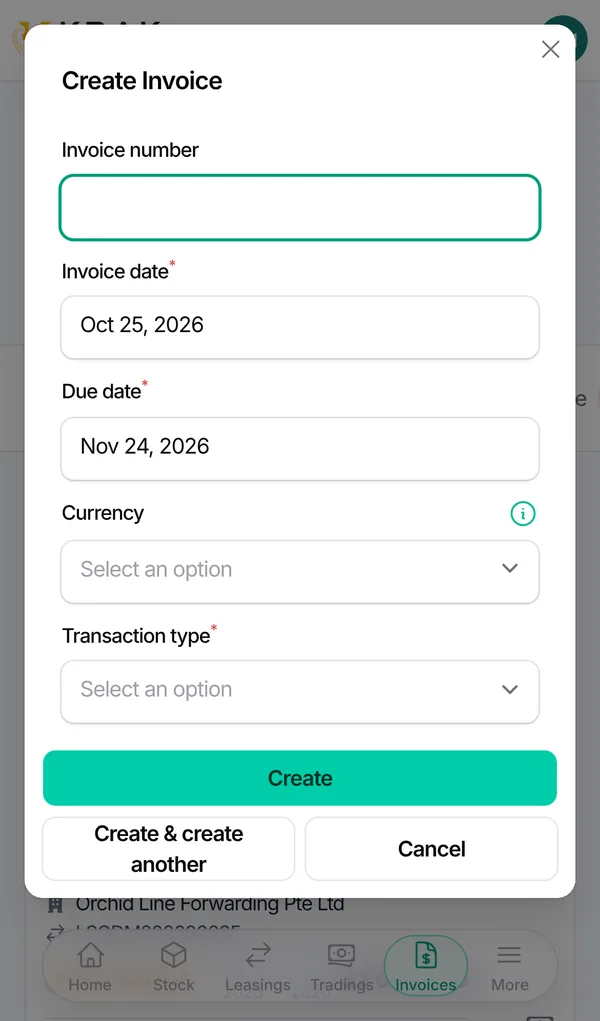
Invoicing
Invoice from the phone
Create the invoice as soon as the work is done: date, due date, currency and type. Send it by email and follow what is paid and what is overdue.
- Create, send and download invoices
- Paid, sent and overdue counters
- Credit notes in the same place
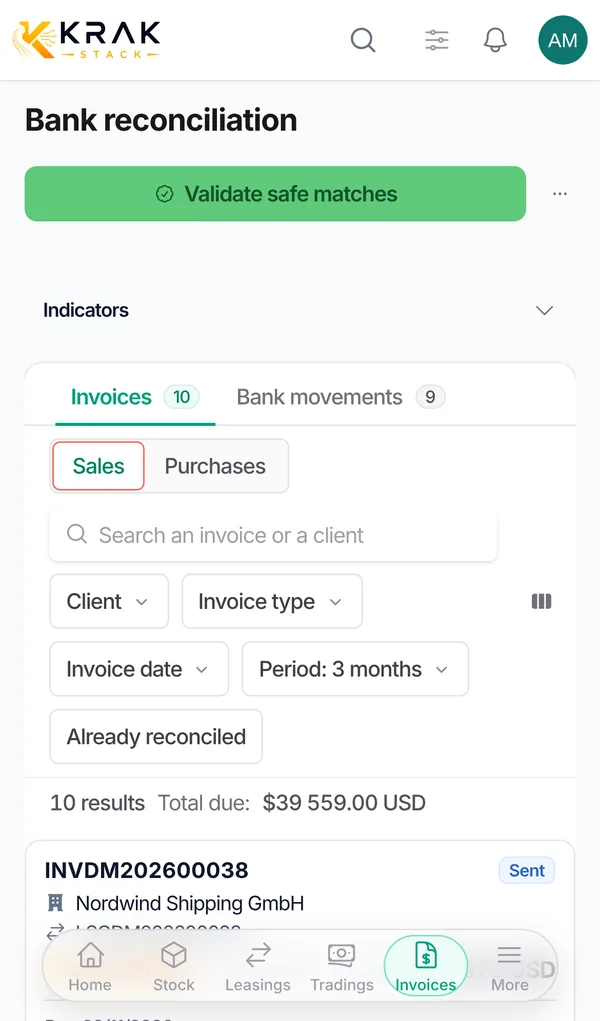
Bank reconciliation
Match payments on the go
With your bank connected, movements arrive on their own and sit next to the unpaid invoices. Validate the safe matches in one tap, check the others one by one.
- Invoices and bank movements side by side
- Validate safe matches
- Sales and purchases, filters by client and period
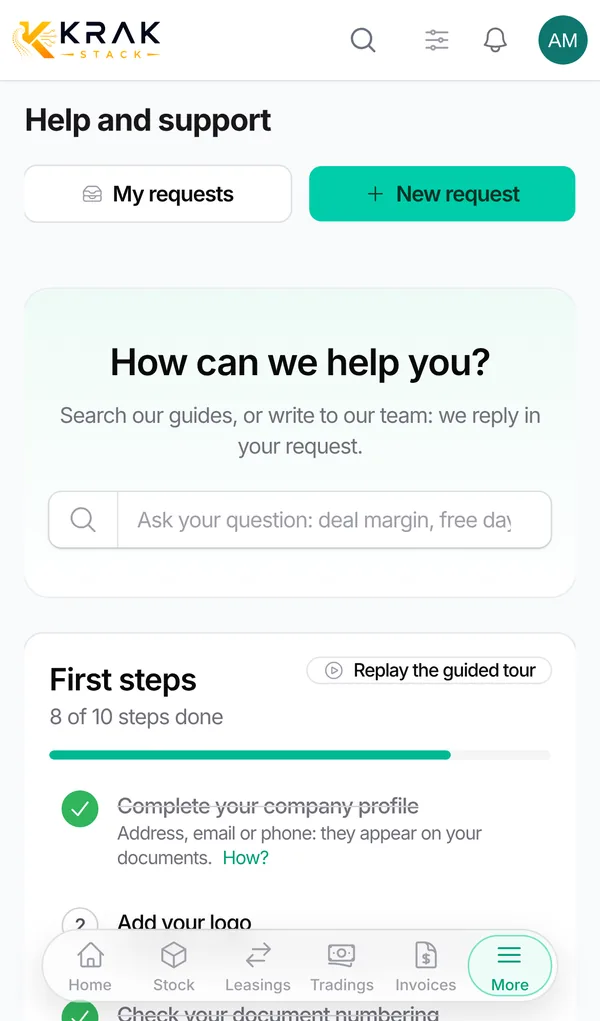
Help and support
Answers and our team, in the app
More than 70 guides with a search that understands your words, and a request form to reach our team with a screenshot, from the phone.
- Guides and frequent questions
- Requests with screenshots
- Answers in the app and by email
One account, every screen
Tap it at the gate. The office sees it at once.
Record the pickup on your phone: the container, the leasing and the per diem clock update for the whole team, on every screen, at the same moment.
Illustration with demo data.
Install
On your home screen in one gesture
Krak Stack is a web app: nothing to download from a store, no update to install. Once added to the home screen it opens full screen, like any other app.
1. Open the app
On your phone, open app.krak-stack.com and sign in with your usual account.
2. iPhone: Share
In Safari, tap the Share button, then Add to Home Screen. Krak Stack also shows you how.
2. Android: Install
In Chrome, tap Install when Krak Stack offers it, or use the menu, then Add to home screen.
Included in every plan, for every user, at no extra cost.
Questions about the mobile app
- Do I need a computer to run Krak Stack?
- No. Stock, pickups, drop-offs, releases, returns, leasing, trading, invoicing, bank reconciliation, companies and settings all work on a phone. A larger screen is more comfortable for long tables, but it is never required.
- Is there an app to download from the App Store or Google Play?
- No download from a store is needed. Open app.krak-stack.com in your phone's browser and add it to your home screen: it opens full screen like an app and is always up to date.
- Is it the same data as on the desktop?
- Yes. There is one account and one set of data: what you record on the phone is visible at once on every other screen, for your whole team.
- Which phones are supported?
- Any recent iPhone or Android phone with Safari, Chrome or another current browser.
- Is it secure on a phone?
- The phone uses the same sign-in, two-step verification, roles and permissions as the desktop. Each company's data stays separate.
- Does the mobile use cost extra?
- No. Mobile use is included in every plan, for every user.
Open Krak Stack on your phone today
Start the free trial from your phone or your computer: the same account works everywhere.