Profitability and dashboards

    See what each deal, container and client really earns

    Projected, invoiced and cashed, line by line, from the same records your team works in every day. No export, no pivot table.

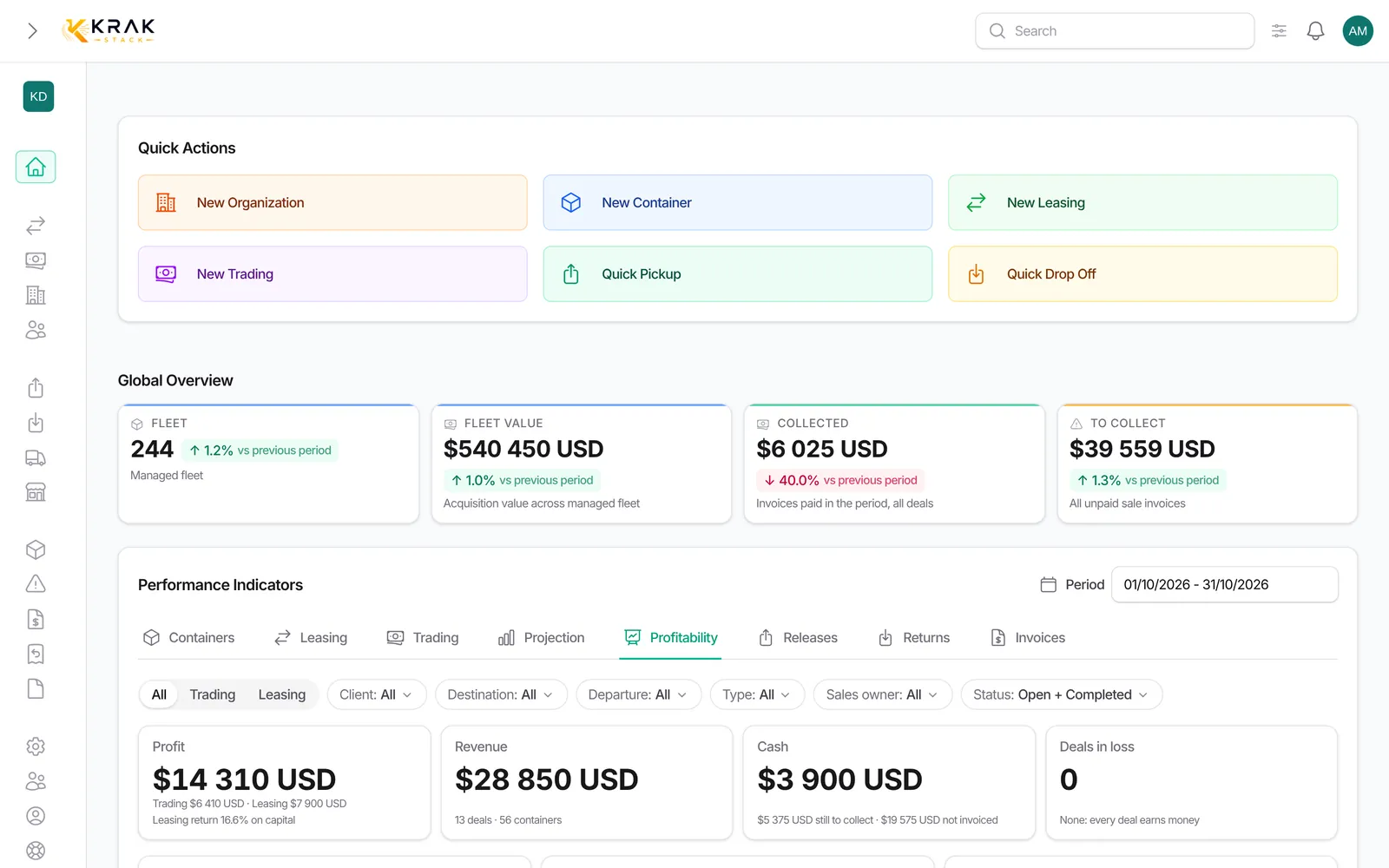
    Krak Stack profitability dashboard: margin per deal, per container and per client

    What you can do

    Dashboard by tab

    Containers, leasing, trading, releases, returns and invoices, for any period, compared with the previous one.

    Every number is clickable

    It opens the exact list behind it.

    Actions to do

    Missing invoices, leases ending, releases without pickup and unpaid invoices, refreshed every day.

    Deal profitability

    Projected, invoiced and cashed result of each lease and each sale.

    Portfolio view

    By client, country, container type or month, with the deals that need attention, exportable.

    A container's whole life

    A sale judged together with the rents the box earned before.

    12-month projection

    Projected margin and the value of the stock for sale.

    Fleet value and depreciation

    Market value, book value and depreciation of the fleet.

    Revenue, top clients, receivables ageing, DSO and fleet utilisation

    The numbers management asks for, always current.

    Three levels, one source

    Deal

    Each lease and sale.

    Container

    Its whole life.

    Portfolio

    Clients, countries, months.

    In practice

    Example

    A lessor wants to know which clients really make money this year. The Profitability tab of the dashboard lists the deals created in the period with their revenue, costs and margin, grouped by client, country, container type or month. A lease shows its pickup charges and per diems against the depot stays and repairs it caused; a trading deal shows its sale against its purchase. The "Needs attention" list points to deals in loss, deals with a missing cost or exchange rate, invoices unpaid more than 30 days after their due date, and tradings under 10% margin.

    In detail

    • Projected, invoiced and cashed. Each deal shows its margin three ways: what was agreed, what was invoiced and what was actually paid.
    • Real costs. Depot and repair costs take the higher of the costs entered (depot stays, claims) and the matching supplier invoices; a stay still open is estimated up to today.
    • One currency. Amounts are excluding VAT, converted into your company's currency at the rate frozen on the invoices.
    • Nothing counted twice. A lease does not include the resale of its containers (the resale has its own line), and a pure purchase is shown as stock bought, outside the margin.
    • Fleet value. The fleet value, the net book value of each container and an optional depreciation give the gap between market value and book value.
    • Export. The table exports with the filters and sorting shown.
    • Only for the right people. Amounts are visible only to the roles allowed to see the financial indicators.

    Connected to the rest

    Common questions

    From the deals, movements, invoices and payments recorded in Krak Stack. Nothing is typed twice.

    Yes. Its result over its whole life: purchase, rents, sale and costs.

    Your base currency, with the exchange rate frozen on each invoice.

    Every list and the portfolio view export to CSV or Excel.

    The deals created during the period. A deal created in January and paid in March counts in January.

    Figures are refreshed every 5 minutes.

    They are hidden by default; deleted deals never count.

    Read the guides

    Get started

    See it on your own fleet

    Projected, invoiced and cashed, line by line, from the same records your team works in every day. No export, no pivot table.

    14-day free trial, no card needed. Demo on request.