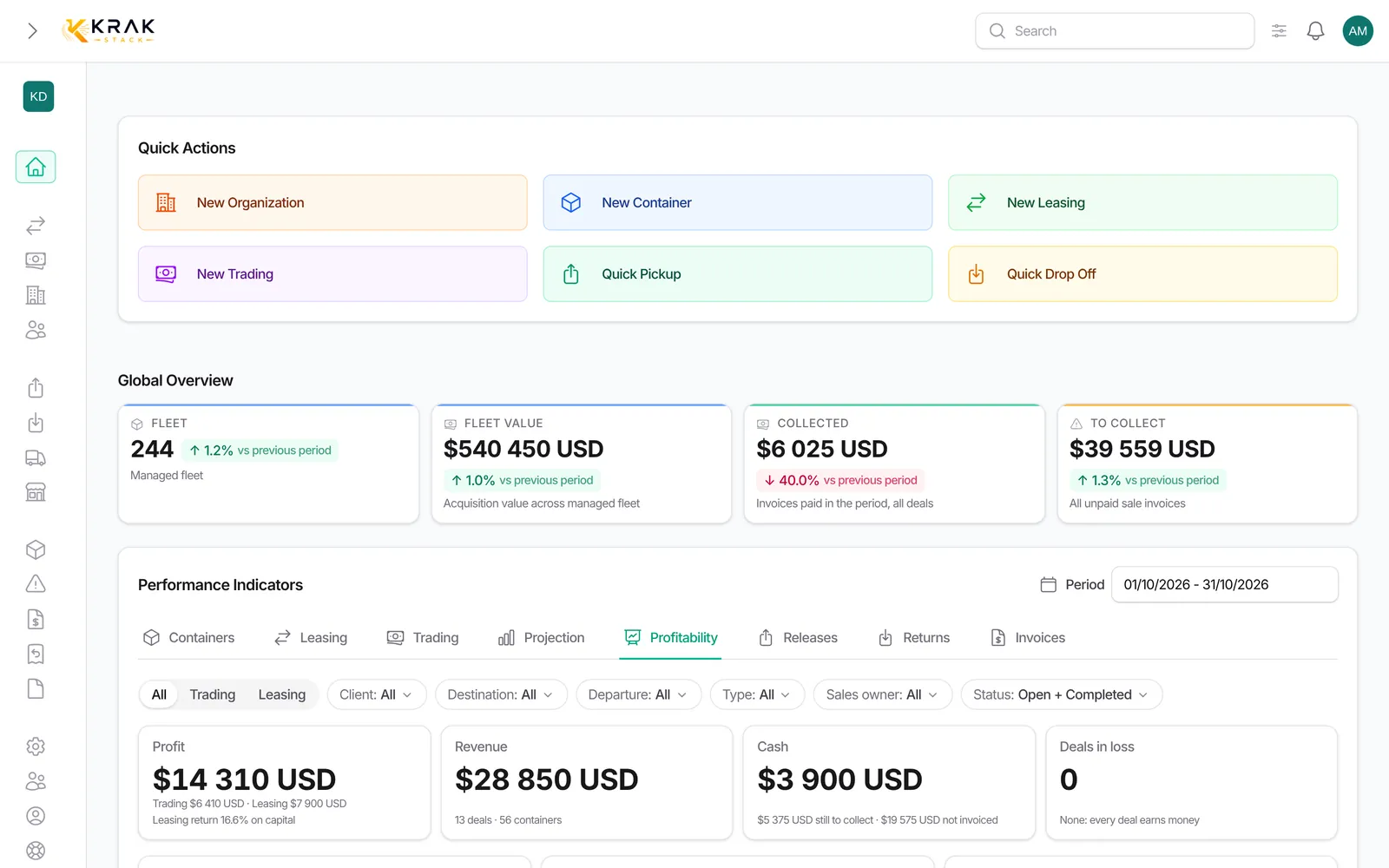
The Profitability tab of the dashboard adds up the profitability of all your deals over a period. It answers three questions: how much do I earn, where do I earn it, and which deals need my attention.
Steps
- Open Dashboard, choose the Period, then the Profitability tab.
- Narrow down with the filters: Deals (All, Trading, Leasing), Client, Destination country, Departure country, Container type, Sales owner, and the status (Open, Completed, Cancelled).
- Read the collection bar: Received, Invoiced, not paid yet, Not invoiced yet.
- Compare the Trading margin and Net rental income blocks (with the return on capital) to the previous period.
- Open Needs attention for the deals to handle first.
- Choose View by (Client, Destination country, Container type, Month) to group the results.
- Export the deals table as CSV or Excel.
Good to know
- The tab covers the deals created during the period. A deal created in January and collected in March counts in January.
- Each deal is calculated as in its Profitability section: same lines, same amounts excluding VAT in your company's currency.
- Needs attention lists deals in loss, deals with a missing cost or exchange rate, sale invoices unpaid for more than 30 days after their due date, and tradings under 10% margin.
- Nothing is counted twice: a leasing excludes the end-of-contract resale (the resale trading has its own line), and a pure purchase shows its amount as Stock bought (capital), outside the margin.
- Cancelled deals are hidden by default; deleted deals never count.
- The export follows the filters, search and sorting shown. The file is named "profitability-start-end".
- Figures are cached for 5 minutes: an invoice paid just now can take a few minutes to show.
- The tab is visible to roles with access to the financial indicators of leasings or tradings, and only shows the type of deals allowed.
Frequently asked questions
Why does the Received figure of this tab differ from the one at the top of the page?
The Collected figure at the top counts every invoice paid during the period, whatever the deal. This tab only counts what was received on deals created during the period.
Which are my most profitable clients?
Choose View by > Client: the table ranks clients by margin. Add a Trading or Leasing filter to separate the business lines.
How do I see the margin month by month?
View by > Month shows the table and the Margin by month chart.
How do I compare sales owners?
Filter by Sales owner: the blocks and the table only keep their deals.
Why does a deal appear under "missing cost"?
An expected cost is not known (a container's purchase price, for example) or an exchange rate is missing. Its margin is probably overstated as long as the information is missing.
Why is the trading margin of this tab different from the Gross margin of the Trading tab?
The Trading tab counts the containers sold during the period, without depot or transport costs. The Profitability tab counts the deals created during the period, with all their costs.
Is the return on capital annual?
No. It compares the margin to the capital committed over the length of the deals, without bringing it back to one year.
A recent deal does not appear.
Check the period (deal creation date), the active filters and the status shown. Cancelled deals are hidden by default.
Can I send this table to my accountant?
Yes: Excel or CSV exports the deals with expected revenue, costs, margin, invoiced, received, to receive and unpaid 30+ days.
Why does the Profitability tab not appear?
Your role has no access to the financial indicators of deals. Ask your administrator.