Bank reconciliation

    Every payment matched to its invoice, without the spreadsheet

    Your bank movements come in every hour. For each one Krak Stack proposes the invoices it pays, ranked, and remembers who pays for whom.

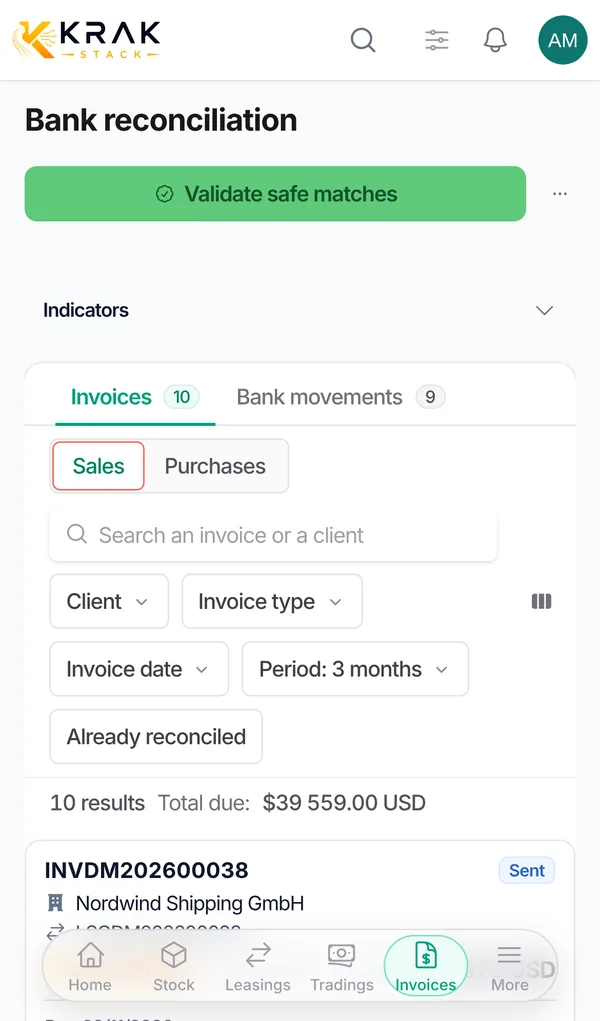
    Krak Stack bank reconciliation on the phone: a payment with its ranked invoice proposals

    What you can do

    Bank connections

    Revolut Business and Airwallex, read only, synced every hour.

    Any other bank

    Import a CSV statement.

    Ranked proposals

    Each payment comes with the invoices it most likely pays.

    Safe matches in one click

    Only unambiguous matches are validated together.

    Payers remembered

    A payer name or IBAN seen once is recognised next time.

    One payment, several invoices

    And partial payments, down payments and settled gaps.

    Bank fees and exchange differences

    Within a tolerance you set, without a manual credit note.

    Exclude what is not a client payment

    And restore it later.

    Statement view

    The bank's own view, movement by movement.

    How it works

    01

    Movements arrive

    Hourly from Revolut or Airwallex, or from a CSV.

    02

    Krak Stack proposes

    The invoices each payment pays, with a confidence.

    03

    You validate

    Safe matches together, the rest one by one; the invoice turns Paid.

    In practice

    Example

    On Monday morning, 40 new bank movements have arrived from Revolut Business. Validate safe matches lists the transfers that name the invoice they pay, or come from a client with only one possible invoice: you untick two lines to check later and confirm the rest. A client has paid three invoices in one transfer: you tick the three invoices and reconcile them with the payment. A transfer is 25 EUR short: within your bank fee window, the gap is recorded as bank fees and the invoice becomes paid.

    In detail

    • Your bank feed. Connect Revolut Business or Airwallex, or import a CSV statement from any bank.
    • Ranked suggestions. Money received is matched with sale invoices and money sent with purchase invoices, with the best proposals first.
    • Payers remembered. The name or IBAN seen on a statement is linked to a client once confirmed, so the next suggestions are better. Suggestions backed by at least two payments can be accepted in one go.
    • Several invoices, one payment. Tick several invoices to settle them with one transfer. A larger gap is treated as a down payment: invoices are paid from the oldest and the last one stays open for the rest.
    • Currencies. When a payment and an invoice are in different currencies, Krak Stack asks for the rate applied by the bank and records the exchange difference separately.
    • Nothing lost. Movements that are not payments (fees, salaries, taxes, internal transfers) are excluded from the queue and can be restored; a validated match can be undone.
    • Only completed movements. A movement the bank has not confirmed as completed cannot be reconciled.

    Connected to the rest

    Common questions

    No. Bank connections are read only. Krak Stack reads movements, it never initiates a payment.

    Import its CSV statement. Matching, payer memory and validation work the same way.

    Select the invoices the payment covers; partial payments and gaps are recorded on each invoice.

    Small differences within your tolerance are settled automatically; the gap stays visible on the invoice.

    Revolut Business and Airwallex directly, and any bank through a CSV statement.

    Cancel the match: the invoice is no longer paid and the transfer goes back to the queue.

    The suggestion is flagged "Payer different from client" so that you check it before validating.

    Read the guides

    Get started

    See it on your own fleet

    Your bank movements come in every hour. For each one Krak Stack proposes the invoices it pays, ranked, and remembers who pays for whom.

    14-day free trial, no card needed. Demo on request.