Companies and documents

    Every counterparty and every document, on the deal it belongs to

    Customers, suppliers and depots each have one profile, with the people to contact, the terms you agreed and the documents you exchanged.

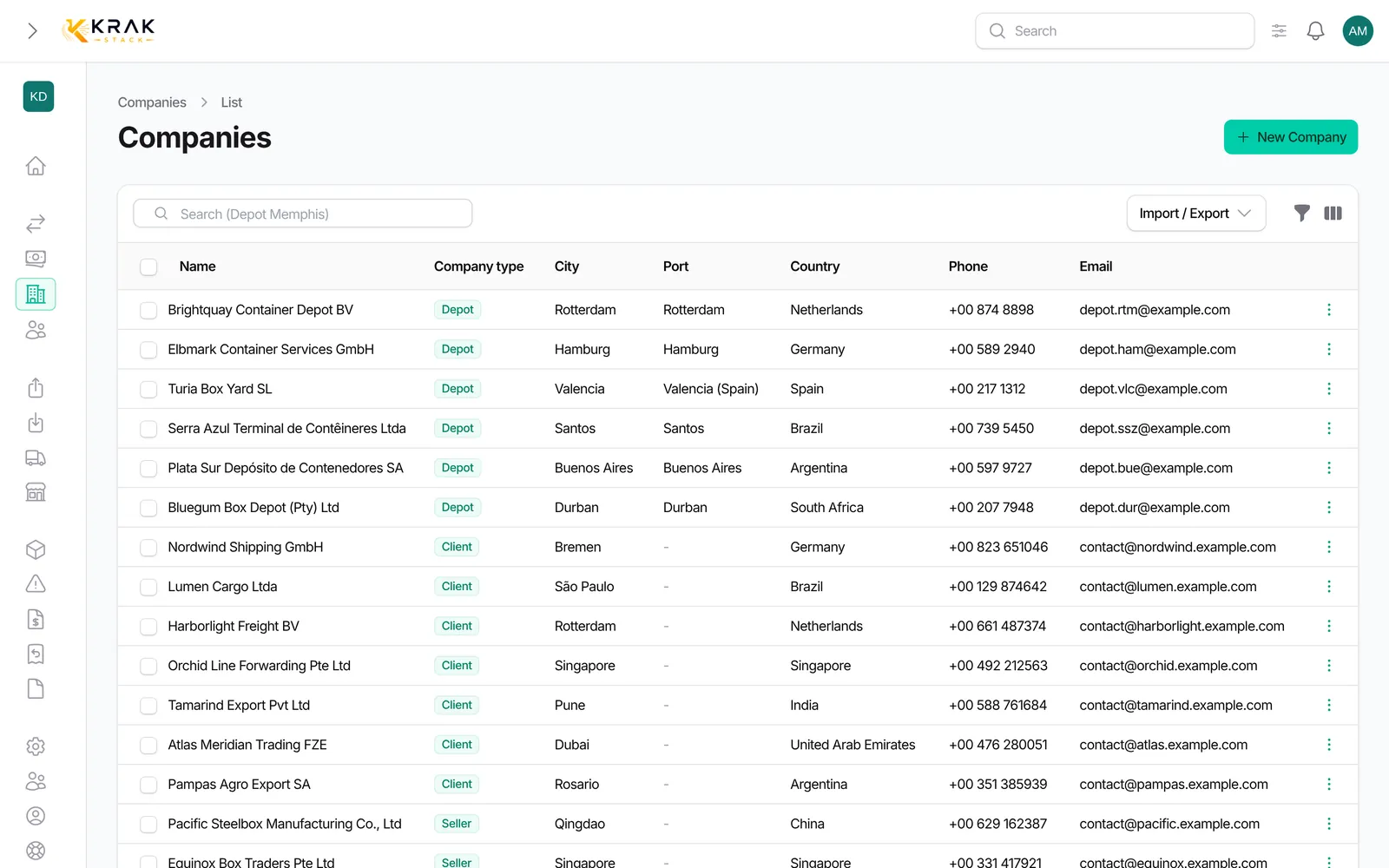
    Krak Stack: companies list with types, open business and finance overview

    What you can do

    Company types

    Client, seller, depot, repair provider, transporter or your own types, and filter by them everywhere.

    Contacts per document

    Choose who receives releases, returns and invoices for each company, suggested every time something is sent.

    Depot tariffs

    Storage tariffs per depot and container type, used to price every stay.

    Merge duplicates

    Two profiles for the same company become one, with deals, contacts and documents kept.

    Open business per client

    Sold not picked up, bought not dropped off: what is still open with each company, at a glance.

    Finance overview per company

    Invoices, credit notes, balances and open amounts for each counterparty on its profile.

    Documents filed on the deal or the company

    Contracts, certificates and correspondence with their type, date and expiry date, confidential ones marked.

    Company import up to 5,000 rows

    Bring your existing contacts from CSV or Excel, checked on the way in.

    In practice

    Example

    A new depot in Genoa joins your network. You create it as a company of type Depot with its port, its free days and its tariffs per container type, then choose who receives releases and who receives return instructions. From then on, every release for Genoa is pre-addressed to the right contact, and every invoice to a client goes only to the client's invoice contacts. The release PDF, the supplier invoice and the photos of the boxes are filed on the deal or the container they belong to.

    In detail

    • Five company types. Client, Seller, Depot, Repair provider and Transporter, which you can rename, plus your own types. A Depot requires a port and gets tariffs, document contacts and stock report settings.
    • Contacts with roles. Each contact can hold the Release, Return or Invoice role. Documents are pre-addressed to the contacts with the matching role, and invoices and reminders never go to contacts of another company.
    • Client settings. Currency, payment terms, VAT rate, the bank accounts printed on its invoices and its own payment reminder cadence.
    • No duplicates. Creating a company with an existing name shows the existing records first, and a contact email already used elsewhere can be re-attached instead of duplicated.
    • Your documents, your brand. PDFs and emails carry your logo, colours and templates, and email templates use variables such as the deal number or the contact's first name.
    • Files where they belong. Documents are filed on the container, deal or company they concern and appear in their history.

    Connected to the rest

    Common questions

    Yes. Organizations can be imported from a CSV or Excel file, up to 5,000 rows at once.

    Access follows the roles of your team: Admin, Sales, Operation, Finance or roles you define.

    Yes. Documents can be attached to the deal, the container or the organization they concern.

    Yes, from a CSV file of up to 5,000 rows, depots included.

    The contacts with the Invoice role in the billed company, plus any address you add in CC or BCC.

    Yes. The five system types keep their role but their name, colour and icon can be changed.

    Read the guides

    Get started

    See it on your own fleet

    Customers, suppliers and depots each have one profile, with the people to contact, the terms you agreed and the documents you exchanged.

    14-day free trial, no card needed. Demo on request.