Your company profile feeds your invoices, releases, PDFs and emails. It is set in Settings > Company, open to administrators by default.
Krak StackFig. 1
Steps
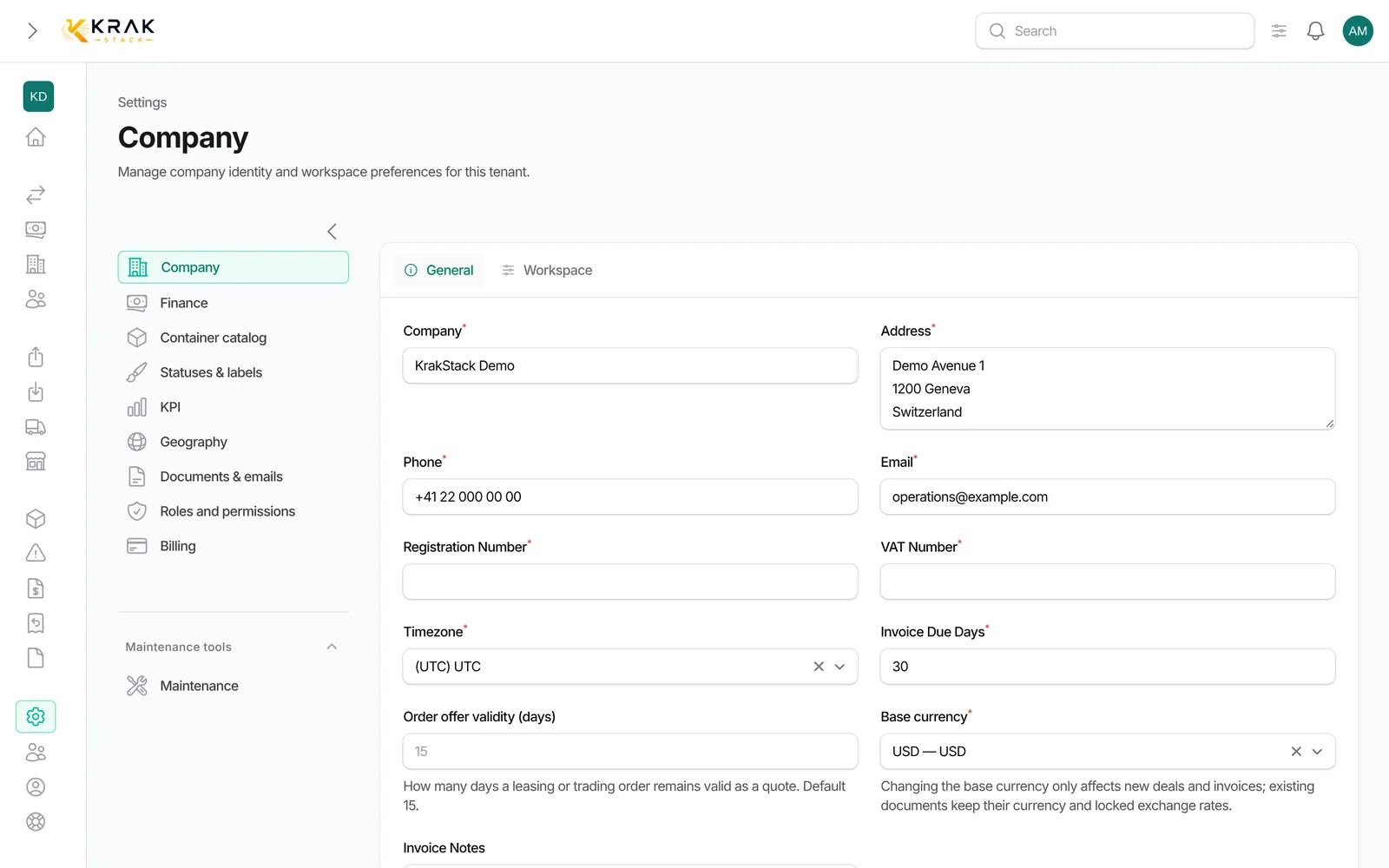
- Open the user menu (your avatar) then Settings, or the Settings entry in the left menu. The Company page opens.
- General tab: fill in Company, Address, Phone, Email, Registration Number, VAT Number and Timezone.
- On the same tab, set Invoice Due Days, Order offer validity (days), Base currency and Invoice Notes.
- Workspace tab: upload the Logo on your documents and emails, and if needed the Logo (dark mode) and the Favicon.
- Choose the Primary color and Secondary color, or leave them empty to keep the default colours.
- On the same tab, tick or not Enable proactive alerts and set their thresholds.
- Click Save changes.
Good to know
- The logo is printed on your invoices, releases, PDFs and emails. The application itself keeps the Krak Stack logo.
- The primary colour is also used in your document emails.
- Changing the base currency only affects new deals and invoices. Existing documents keep their currency and exchange rate.
- Offer validity is 15 days by default: how long a leasing or trading order remains valid as a quote.
- Proactive alerts cover in particular missing invoices, leasing expiration, releases without pickup and unpaid invoices. They show on the dashboard.
- Bank details are set in Settings > Finance, and email sending in Settings > Documents & emails.
Frequently asked questions
Which company details appear on PDFs?
The header of your documents shows the company logo, address, phone and email. Preview a PDF to check the result.
What is the timezone used for?
It is the reference for dates and times in your workspace. Choose the one of your head office.
Can I change my company name?
Yes, in the Company field. Documents already issued do not change.
I do not see Settings.
Access to settings is limited to administrators by default. Ask an administrator of your workspace.
Do colours change for every user?
Yes, they apply to the whole company workspace.