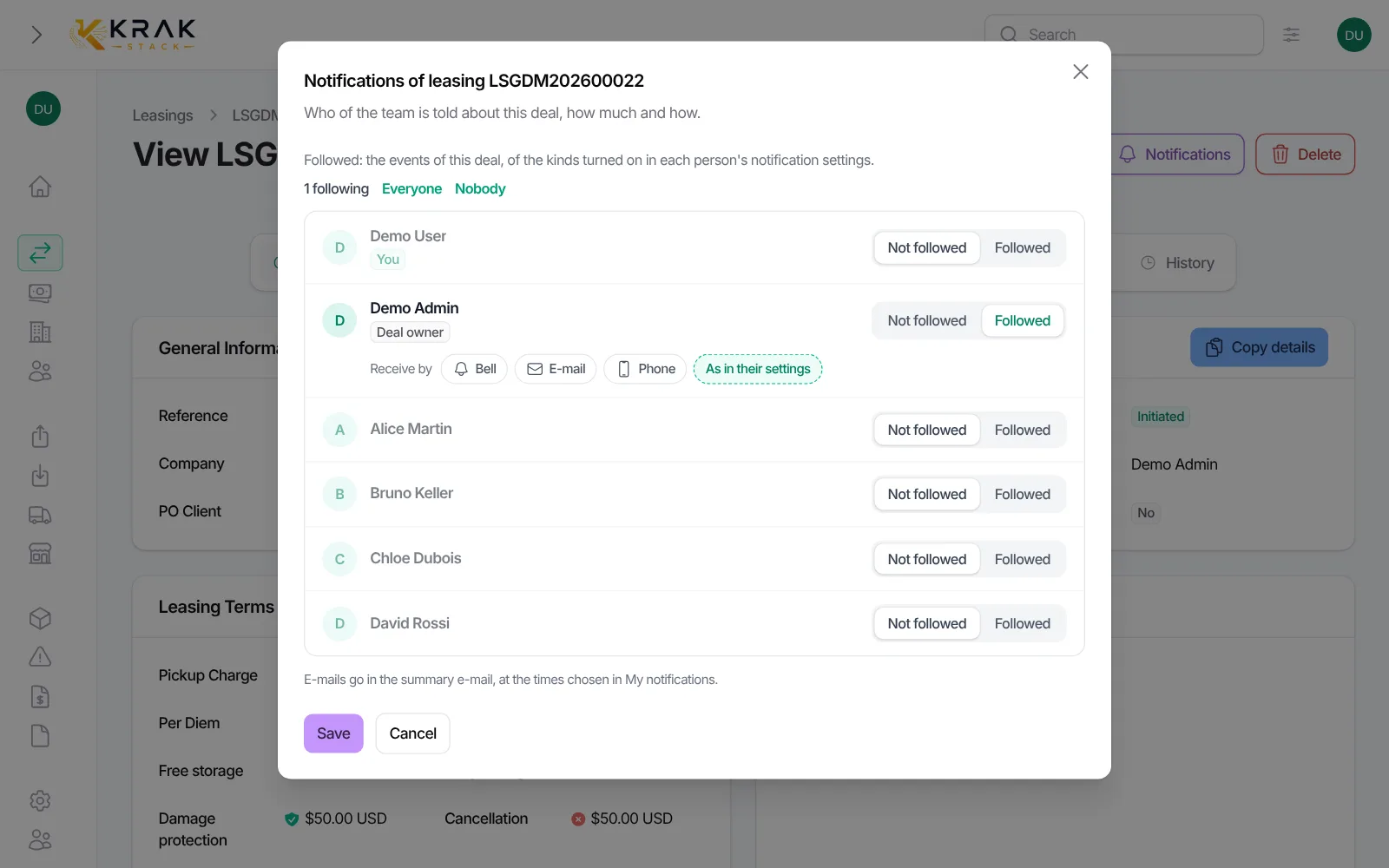
Every leasing and every trading has its Notifications window. It shows who in the team follows the deal and how each person is told. The deal owner follows it by default.
Krak StackFig. 1
Steps
- Open the leasing or the trading.
- Click Notifications at the top of the deal page (on a small screen, in the actions menu).
- For each person, choose Followed or Not followed. Everyone and Nobody change the whole team at once.
- On the line of a followed person, Receive by sets the channels for this deal: Bell, E-mail and Phone turn on or off with one click. As in my settings (or As in their settings) uses the channels chosen in My notifications.
- Click Save.
Good to know
- Followed: the person gets the events of this deal, of the kinds turned on in their own settings. A kind turned off in My notifications stays off.
- Not followed: the person gets nothing from this deal, even if they own it.
- You can turn the bell off for one deal and keep the e-mail, or the other way round. With no channel on, nothing is recorded for that person.
- E-mails go in the summary e-mail, at the times chosen in My notifications.
- Phone only works if the person turned notifications on for at least one device. Otherwise the window says so.
- A person who can edit the deal sets the whole team. The others only set their own line.
- The Follow the deals I own option, in My notifications, decides whether you automatically follow the deals you become owner of.
Frequently asked questions
Is the deal owner always told?
By default yes. They can be set to Not followed on this deal, and they can turn off following their deals automatically in My notifications.
How do I make a colleague follow a deal?
Open Notifications on the deal and set their line to Followed. You need the right to edit this deal to set other people.
I want the e-mail but not the bell for this deal, is that possible?
Yes. In Receive by, turn Bell off and keep E-mail on, then save.
What happens if I turn every channel off?
This deal no longer tells you anything, like Not followed.
Do the changes apply to other deals?
No. The Notifications window only sets this deal.
Do I get past events after I start following a deal?
No. Following applies to the events that happen afterwards.