Krak Stack tells you what happens on the deals you follow: containers out or returned, end of free days, status changes. The My notifications page sets, for you only and in the company you are in, how each event reaches you.
Steps
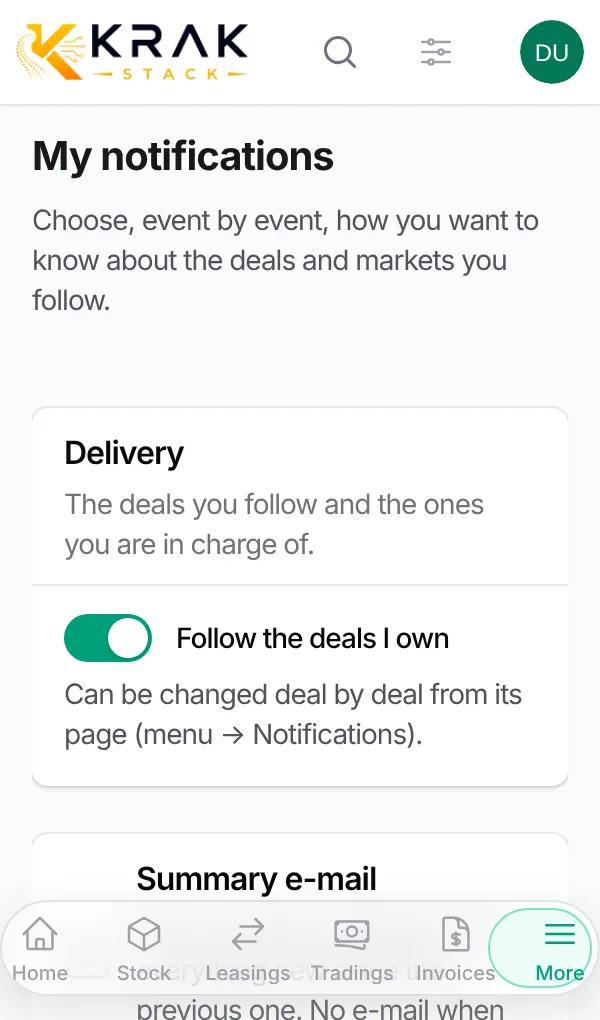
- Open the user menu (your name, top right) then My notifications.
- Delivery section: keep Follow the deals I own on to be told about the deals you are in charge of.
- Summary e-mail section: keep Follow the company setting, or choose the Frequency (Once a day, Working days (Monday to Friday) or Once a week), the Day and the Sending time.
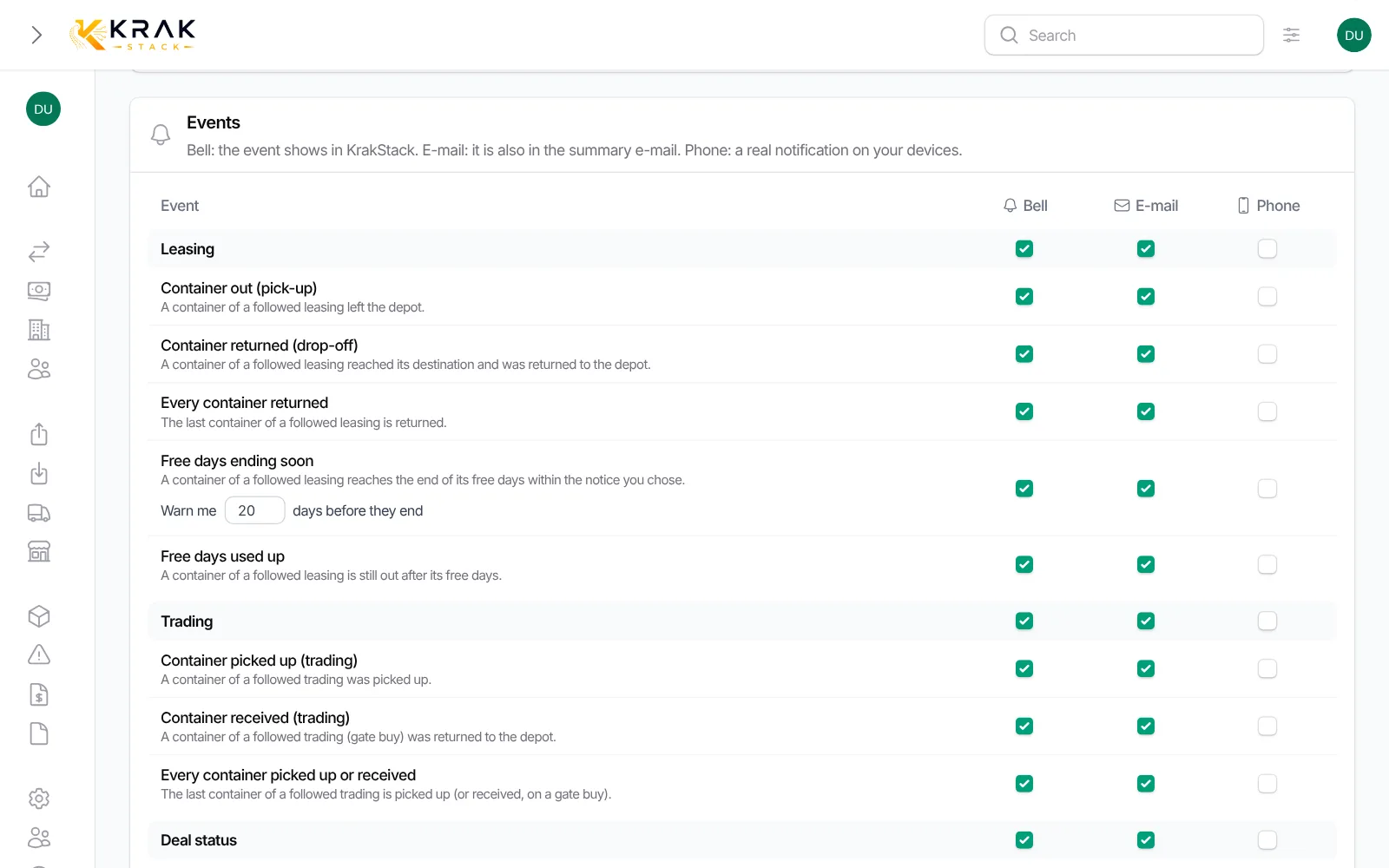
- Events section: for each event, tick Bell, E-mail and, if you turned it on, Phone. The box at the top of a column ticks or unticks a whole family (Leasing, Trading, Deal status, My markets).
- On the Free days ending soon line, enter how many days before the end you want to be told.
- Click Save.
The events
- Leasing: Container out (pick-up), Container returned (drop-off), Every container returned, Free days ending soon, Free days used up.
- Trading: Container picked up, Container received (gate buy), Every container picked up or received.
- Deal status: Deal status changed, for a followed leasing or trading.
- My markets: Arrival in my markets, whatever the deal (see the dedicated article).
Good to know
- Bell: the event shows in Krak Stack, in the bell at the top of the screen. A click opens the deal.
- E-mail: the event is in the summary e-mail. One e-mail per sending with everything new since the previous one; no e-mail when there is nothing new.
- Phone: a real notification on your phone or computer, even when Krak Stack is closed.
- A line with nothing ticked does not tell you at all.
- Times follow the company time zone.
- Each container is announced only once for Free days ending soon.
- If you work in several companies, each one has its own settings and its own bell.
- Until you change anything, your settings follow the defaults chosen by an administrator.
Frequently asked questions
I receive nothing, why?
Check three points: you follow the deal (the deal's Notifications window), the event has at least one box ticked in My notifications, and the summary e-mail is not due later in the day or the week.
Can I get an e-mail for every event?
No. E-mails are grouped in the summary e-mail, at the frequency you chose. To be told at once, use the bell or the phone.
Why did the summary e-mail not arrive?
It is only sent when there is something new since the previous one. Check also the frequency and sending time, and your spam folder.
Am I told about every deal of the company?
No, only about the deals you follow: the ones you own (if the option is on) and the ones someone added you to. Arrivals in your markets are the exception: they cover every deal.
How do I stop being told about one deal?
Open the deal, Notifications button, and choose Not followed for yourself. Your settings for other deals do not change.
Do my choices change my colleagues' settings?
No. My notifications only concerns you. The company defaults are set by an administrator.
How long does an event wait for the e-mail?
An event never e-mailed after 8 days is no longer sent. It stays visible in the bell.