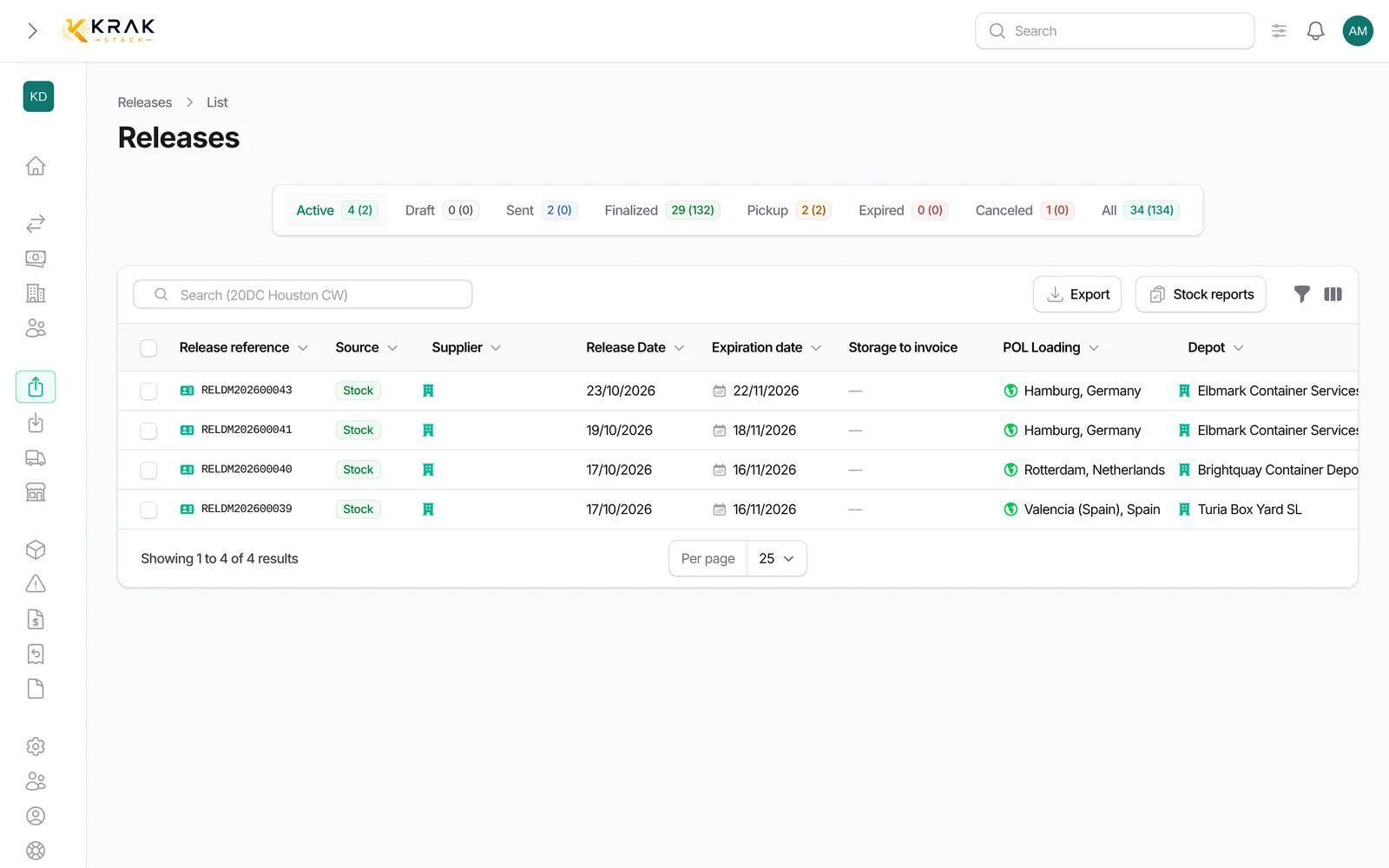
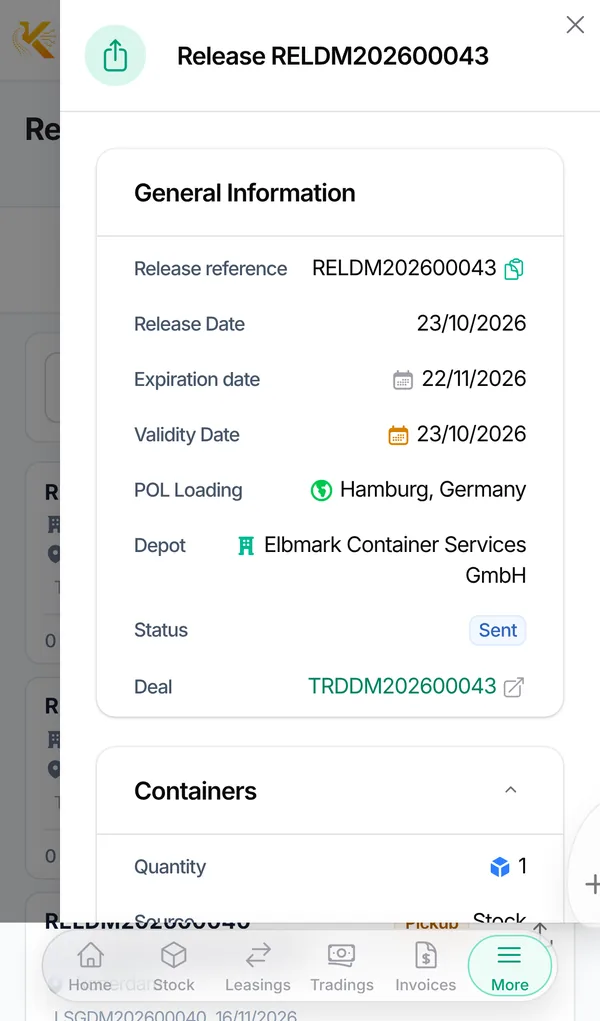
A release is the order you give a depot to hand containers over to the haulier presenting its reference. It is used by leases and by pick-up trading deals.
Krak StackFig. 1
Steps
- Open the lease or the trading deal, Releases tab, and click New Releases. The Create Releases window opens, pre-filled with the deal data.
- Fill in Release Date (today by default) and Expiration date (14 days later by default).
- Choose the POL Loading then the Depot. For a release from stock, each depot shows the number of eligible containers in brackets.
- Choose the Source: Stock or Supplier.
- In Containers to release, enter one line per type and condition: quantity, and if needed the containers to reserve. Depot chooses lets the depot pick the containers.
- Leave Release reference empty to get the automatic number, then save. The release is a Draft.
- Send it with Download PDF or Send by Email: it becomes Sent.
Release statuses
- Draft: not handed over yet. It commits nothing.
- Sent: handed over to the depot.
- Pickup: some of the containers have been picked up.
- Finalized: the whole quantity has been picked up.
- Expired: the expiration date has passed.
- Canceled: the release was cancelled, for example when units of the deal were cancelled.
Numbering
- A release created from a deal reuses the deal number: lease LSGAB202600012 gives RELAB202600012.
- The next releases of the same deal take a letter: RELAB202600012B, then C, and so on (after Z come AA, AB…).
- Releases without a deal have their own counter (prefix RLS), set in Settings > Documents & emails > Numbering, Releases without a deal line.
Good to know
- View PDF does not change the status: only the download and the email move a draft release to Sent.
- One line per type and condition creates one release per line, all linked: the depot gets them in a single email with Send the whole group in one email.
- The total of releases cannot exceed the active quantity of the deal.
- Releases whose expiration date has passed expire automatically. A release that expired before any pickup no longer accepts pickups: use Extend to set a new expiration date.
- You do not create releases from the Releases page of the Operations menu: it lists every release, creation happens from the deal.
Frequently asked questions
Why doesn't my deal become "Released"?
The release is still a Draft, or the sent releases do not cover the whole deal quantity.
Can I enter my own release number?
Yes, in Release reference. A warning appears if that number is already used.
Can I edit a sent release?
Yes, with Edit Release. Some fields are locked once containers have been picked up.
How do I delete a release?
With Delete Release, as long as no container has left with it. Otherwise, reduce its quantity to the number already picked up: it becomes Finalized.
Does an expired release block my deal?
No. It still counts for the deal status. If no container had left yet, extend it to be able to record pickups.