A container's status tells where it is and whether it is engaged. In Krak Stack, it changes by itself when you record operations: booking on a deal, release, pick-up, return, drop-off, sale.
Steps
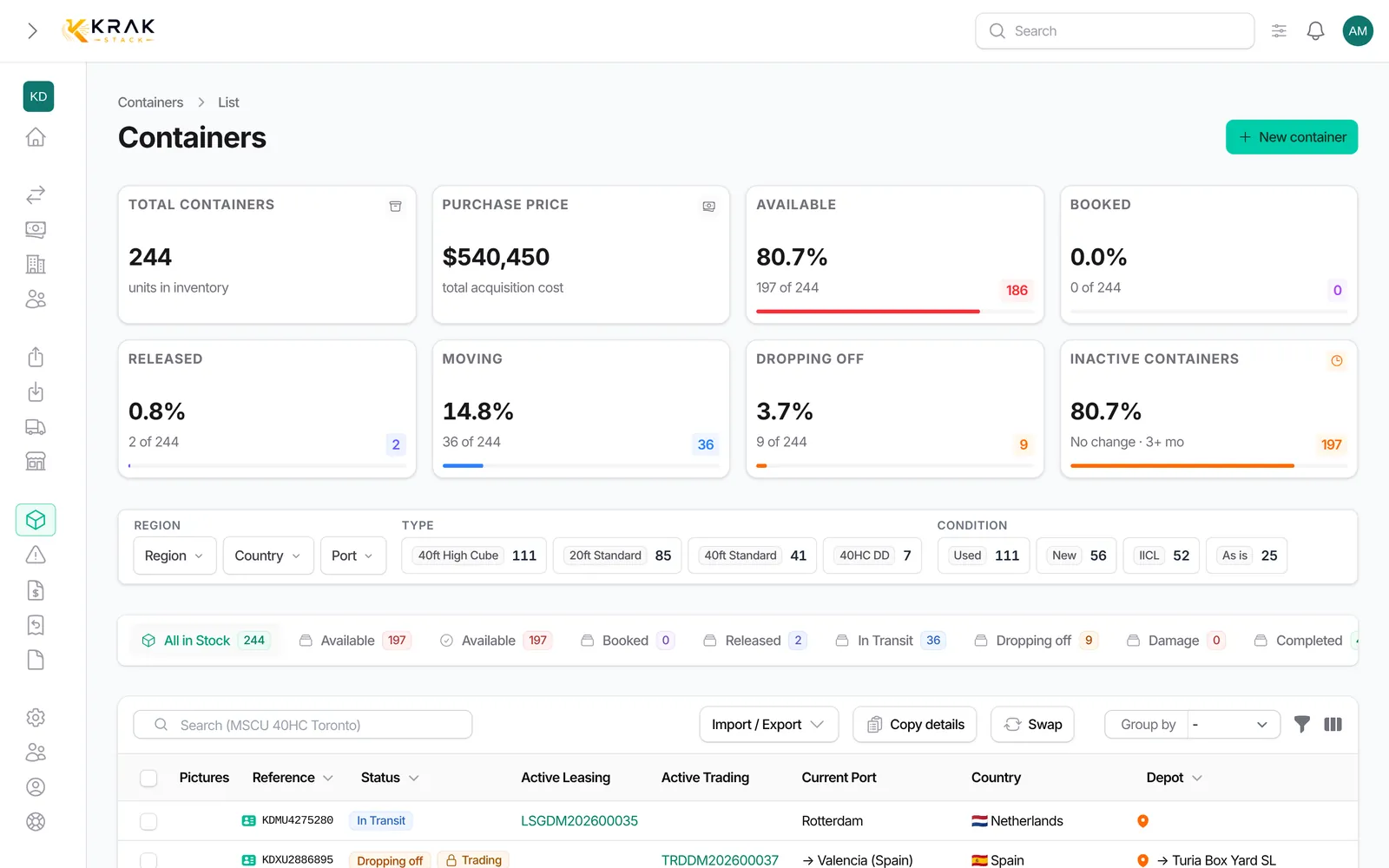
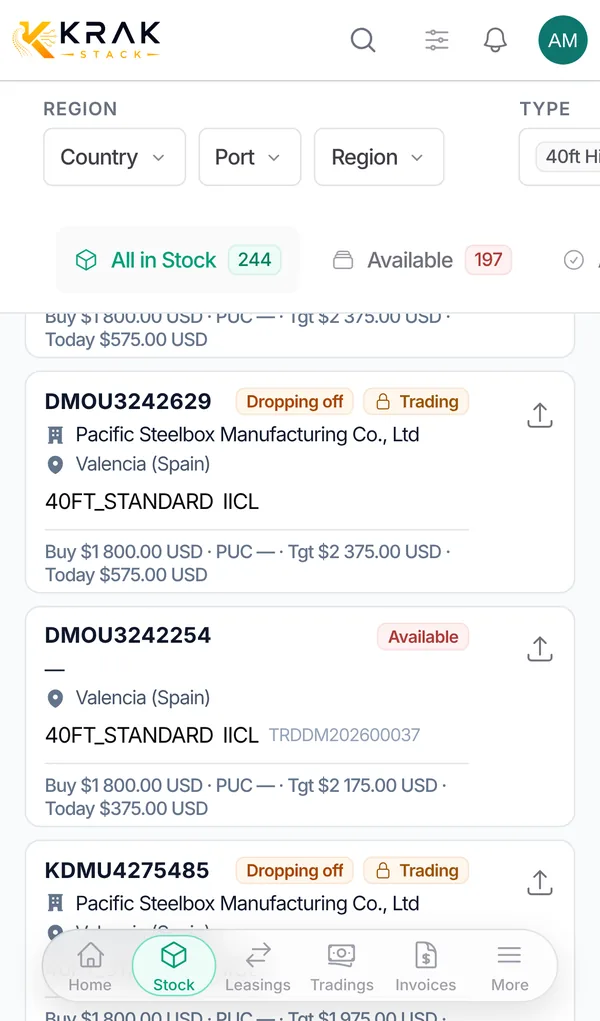
- Open Containers. The tabs at the top of the list match the statuses, with the number of containers in each.
- The All in Stock tab, open by default, shows the active fleet. Containers that left the fleet are not in it.
- Click a tab to see only the containers of that status. With an active filter, the badge shows "before → after".
- To rename a status, change its color or its icon, go to the Statuses & labels settings, Status Library tab.
Good to know
The names below are the default ones; your administrator may have renamed them.
- In Depot: the container is physically at the depot, free or booked. The Available tab keeps only those booked on no deal.
- Booked: reserved on an active leasing or trading, still at the depot.
- Released: a release was issued for it; it stays at the depot until pick-up.
- In Transit: picked up from the depot, for example with the customer on lease. The port field then shows the Destination.
- Dropping off: a return was issued, the container is on its way back to a depot.
- Completed: left the fleet after a sale. The Completed tab also gathers Sold, Lost and Exchanged.
- Damage: damaged container, with its own tab.
What changes the status:
- Manual creation or import: depot status.
- Booking on a deal: Booked.
- Release issued: Released.
- Pick-up recorded (on the release or with Quick Pickup): In Transit; for a sale, the container becomes Completed.
- Return issued: Dropping off.
- Drop-off recorded (on the return or with Quick Drop Off): back in depot; for a gate buy sale delivered at drop-off, Sold.
- Cancelling a pick-up or a drop-off puts the container back in its previous state.
Statuses are fixed by the system: you can change their name, color and icon, but not add or remove one.
Frequently asked questions
What is the difference between In Depot and Available?
In Depot counts every container at the depot, booked ones included. Available counts only the free ones.
Can I change the status by hand?
Only with the Override status permission, from the record or the bulk edit. It is better to fix the operation at the source: cancel a pick-up or a drop-off, or edit the deal.
Why does the import refuse Booked or In Transit?
These statuses come from a deal. Import the container in depot, then create the deal.
Why can't I set a container to Completed?
Completed is kept for containers that were sold and left the depot. Without a sale, the change is refused.
What does the "On this deal" column mean in a leasing or trading?
It is the container's state on that specific deal (booked, released, picked up, dropped off, completed), which can differ from its current status.
A sold container came back to the depot. What should I do?
Record its return with a return. If you put it back in stock by hand, Krak Stack asks for a confirmation and a reason.