A depot is a company of type Depot. Krak Stack tracks every time a container passes through a depot (a "stay") and computes its cost from the depot's tariffs.
Krak StackFig. 1
Steps
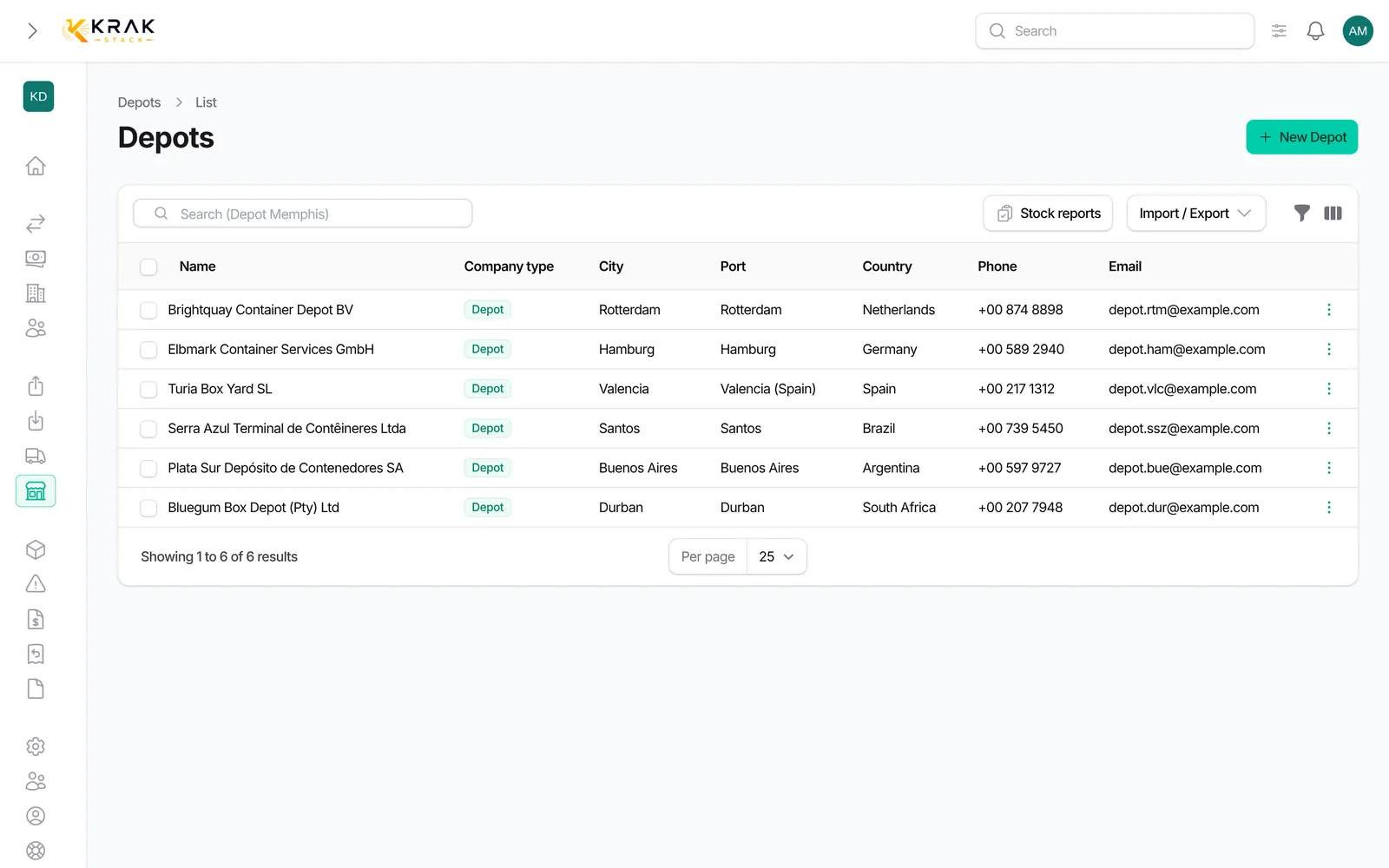
- Open the Depots menu (Operations group). Only companies of type Depot are listed.
- To add a depot, click New Depot: the Depot type is already selected. Fill in the Name and the Port (required for a depot).
- In the Depot Pricing section, enter the Free Days (3 by default), the fixed fees and the Tariffs per type.
- Once the depot is created, edit it: in Document Contacts & Notes, choose the Release and Return contacts and write the Release Note and Return Note.
- Open the depot record: the Containers tab shows what is At the depot, Booked, Dropping off or With the client; the Container activity tab lists the stays and the monthly activity.
Good to know
- Opening and closing a stay: a stay opens when the container enters the depot (creation, import, drop-off) and closes when it leaves (pick-up). It is Open or Closed.
- Day count: the entry day and the exit day both count; entering and leaving on the same day makes 1 day.
- Free days: they are deducted from the days spent at the depot. Example with 3 free days and 10 days at the depot: 7 billable days.
- Cost of a stay: arrival handling + daily rate × billable days, then departure handling at exit, plus photo and release fees when they apply.
- The rate used is the one from the Tariffs per type that covers the container's type. Without a tariff, the record shows Rate not set. Some stays are marked Not billable.
- On a container record, In depot since, the line "12 d · 3 free · 9 billable" and Depot cost to date sum up the current stay.
- In the depot list, the Depots without a tariff grid filter and the Tariff grid and Containers present columns help you spot incomplete records.
- The Stock reports button of the depot list opens the Depot stock reconciliation. There you compare what the depot declares with your open releases and returns. Upload a report accepts a CSV, XLSX or PDF file. Reports can also arrive by email: in the Depot stock reports section of the depot record, the Recognition signals (sender address, display name, a word in the subject or body) attribute them to the right depot. This page requires a specific access right.
Frequently asked questions
Are depot free days the same as leasing free days?
No. The ones on the depot record drive the storage cost the depot charges you. Free days granted to a customer are set on the leasing.
Is the entry day free?
It counts as one day at the depot, so as a free day while some remain.
In which currency are the costs?
You enter the tariffs in the depot's currency. Costs are converted into your workspace currency.
Why is a stay's cost zero?
No tariff covers the container's type, or the stay is not billable.
A depot is not offered in a release or a return.
Only companies of type Depot are offered. Check the company's type.
Can I export the stays?
Yes, from the Container activity tab of the depot record.