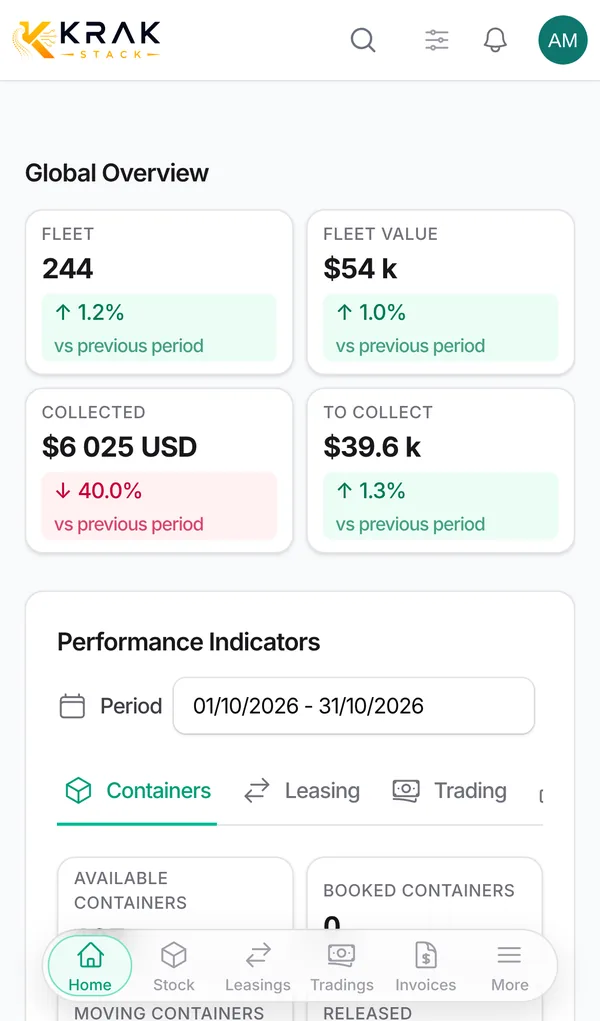
Krak Stack installs on a phone like an app, without going through a store. It opens full screen from the icon on your home screen.
Krak StackFig. 1
Steps
- Open your Krak Stack workspace address in the phone's browser and sign in.
- On Android: an Install Krak Stack banner offers the Install button. If it does not appear, open the browser menu (⋮), then tap Install app or Add to Home screen.
- On iPhone: open the page in Safari, tap the Share icon, then choose Add to Home Screen.
- Launch Krak Stack from the new icon.
Good to know
- At the bottom of the screen, a bar gives access to home, containers (Stock), leasings, tradings and invoices, depending on your rights. The More button opens the full menu.
- Lists are shown as cards. The filters button opens a panel with Reset and Show … results.
- You can record a pickup or a drop-off container by container. Batch processing is available on a larger screen.
- On a container's page, you can take a photo with the phone's camera or choose a picture from the gallery.
- The Share button uses your phone's sharing menu.
- Krak Stack needs an internet connection: there is no offline mode.
- When a new version is published, a message asks you to reload the page.
Frequently asked questions
Do I download the app from the App Store or Google Play?
No. Krak Stack installs directly from the browser.
Do I need to sign in again in the installed app?
Sign in once in the installed app. If your session expires, the page reloads and asks you to sign in again.
Can I work without network, in a depot?
No. Without a connection, Krak Stack shows "No network". Try again when the network is back.
Are all features available on mobile?
Viewing and everyday actions, yes. Batch operations and settings screens are more comfortable on a computer.