A return (return instruction, or DOI) tells a depot which containers it is about to receive. It is used by leases, for the return of leased containers, and by gate-buy trading deals.
Krak StackFig. 1
Steps
- Open the lease or the trading deal, Returns tab, and click New Returns. The Create Return window opens.
- Fill in the Return Date (today at the latest).
- Leave Document Reference empty to get the automatic number.
- Choose the POD Destination (among the lease return locations) then the Depot. If there is only one depot in that port, it is selected automatically.
- Tick the containers concerned in Containers references. For a gate-buy purchase, type the references of the expected containers.
- If needed, tick Drop Off Instruction (DOI) received from client and attach its PDF, or Request photos.
- Save: the return is a Draft. Send it to the depot with Download PDF or Send by email: it becomes Sent.
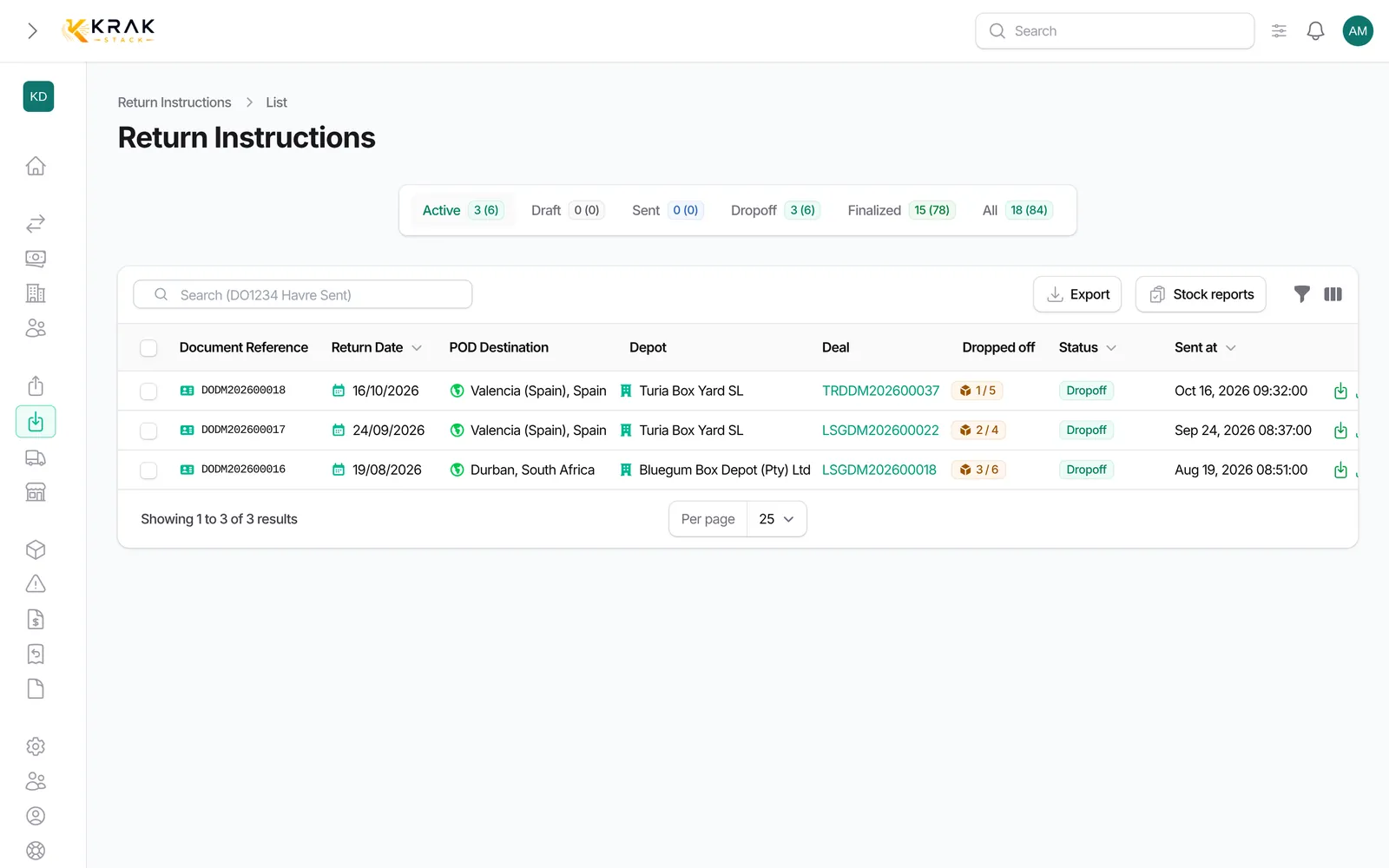
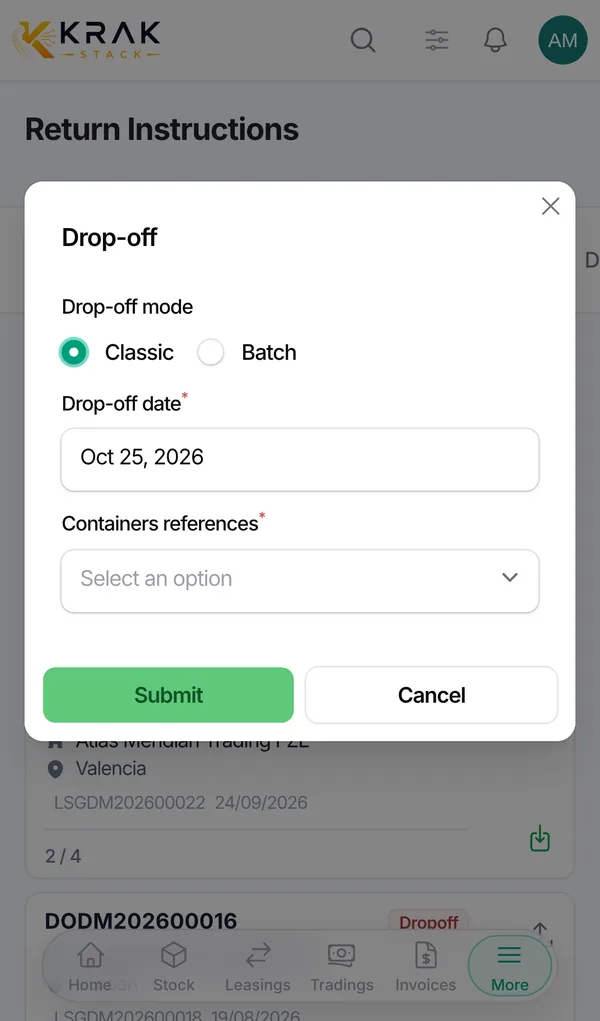
- When the containers arrive, click Drop-off on the return row.
Return statuses
- Draft: not handed over to the depot yet.
- Sent: handed over to the depot, no container has arrived.
- Drop-off: some of the containers have arrived.
- Finalized: every announced container has arrived. The return closes on its own.
Good to know
- The total of containers across all returns cannot exceed the deal quantity.
- A container can only be on one active return at a time.
- On the return page, Progress shows how many containers have arrived and how many are still expected.
- References already dropped off can no longer be removed from the return.
- A Finalized return can no longer be edited.
- A return with containers already arrived cannot be deleted: cancel their drop-offs first.
- For a gate-buy sale, the return is shared between the lease and the trading deal.
- Numbering: prefix DO, your company document code, year and counter (for example DOAB202600007), set in Settings > Documents & emails > Numbering.
Frequently asked questions
When does my lease become "Dropping Off"?
When the returns cover every active container of the deal.
Can I create a return for only some of the containers?
Yes. Create as many returns as needed, for example one per return depot.
A container arrives at a different depot than planned: what do I do?
As long as no container has arrived, use Edit Return to change the destination and the depot. After that, these fields are locked.
Why is the return date refused?
It cannot be in the future.
Why can't I send my gate-buy return?
A gate-buy purchase return must contain at least one container reference before it can be sent or downloaded.
How do I cancel a drop-off recorded by mistake?
From the deal Containers tab, with Cancel Drop-off. The return goes back to the matching status.